A Smartsheet Alternative for People Who Need the Schedule to Be Real
Smartsheet starts from the grid and adds a timeline. That is the right shape for a lot of work, and the wrong shape the moment someone asks what the completion date actually depends on. Ingantt starts from the schedule: a real Critical Path Method engine, resource leveling, 11 baselines, and Earned Value — in the browser, and reading the .MPP and XER files your grid was probably built from.


SHEET-EXPORT.CSV
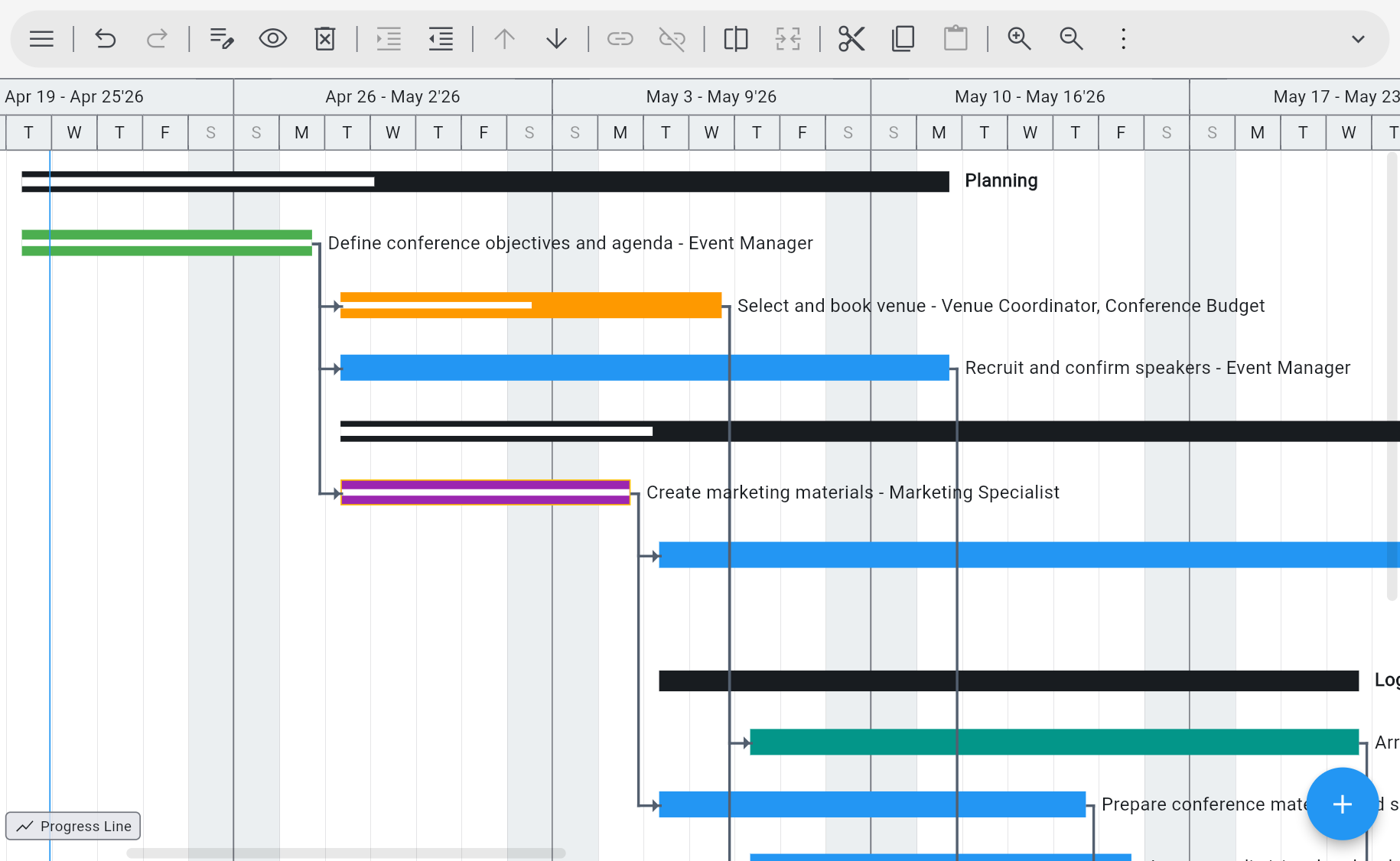
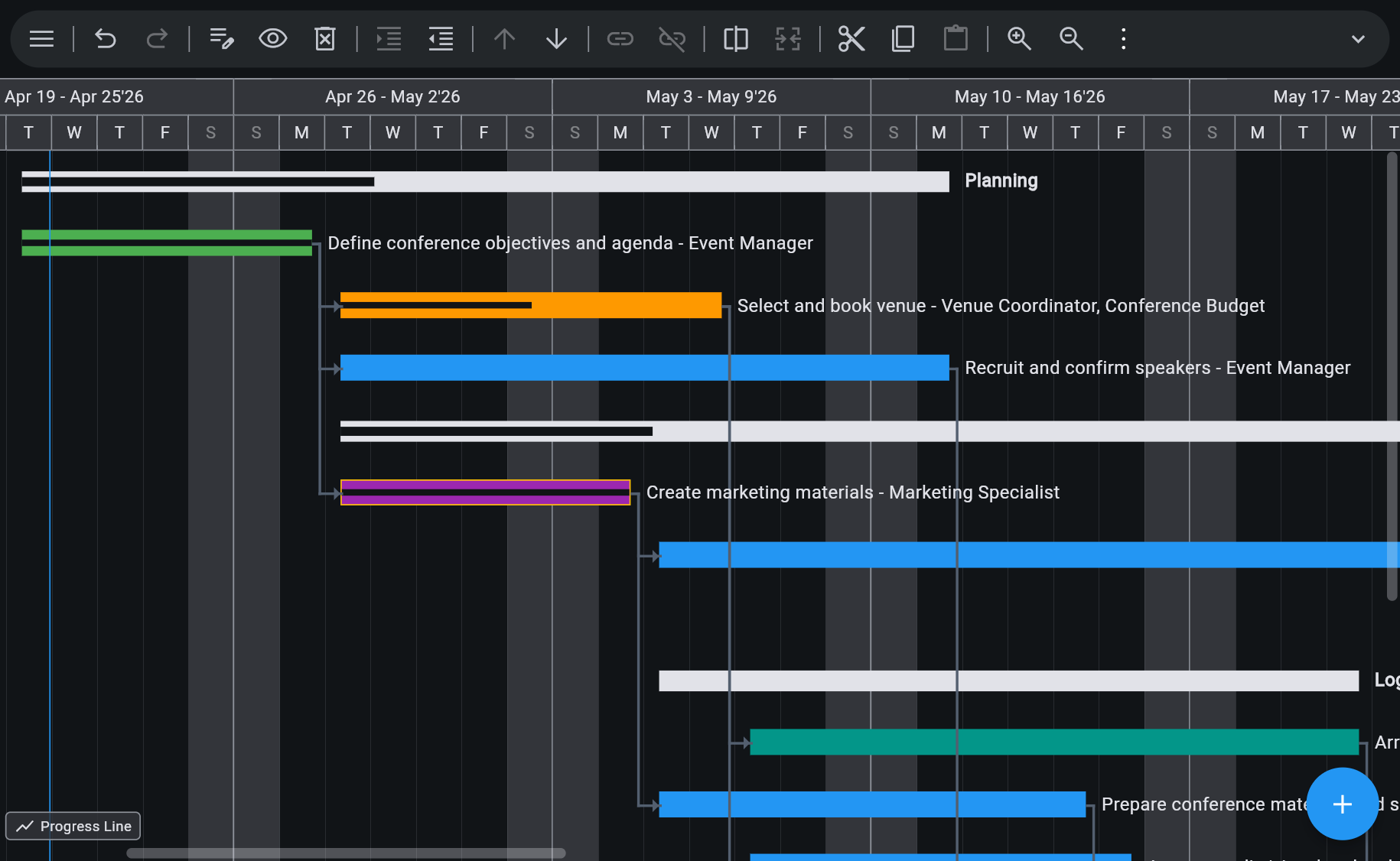
The Scheduling a Grid Cannot Do
Critical Path, Calculated
4 dependency types (FS, SS, FF, SF), 8 constraint types, elapsed durations, split and recurring tasks, custom calendars and work weeks, inactive tasks, and multiple critical paths. Change one duration and the finish date moves because the maths says so.
Resource Leveling, Not Just Assignment
Work, material, cost, budget, and generic resources; automatic leveling by priority, slack, or ID; leveling within available slack; rate tables A–E with date-effective rates; time-varying availability; overtime rates and cost per use.
Baselines and Earned Value
11 baselines (0–10), 10 interim plans, 55 baseline columns plus 5 variance columns, progress lines, Update Project, and 13 Earned Value columns — BCWS, BCWP, CPI, SPI, EAC, VAC, TCPI.
10 Views, Including the Ones You Miss
Gantt Chart, Timeline, Task Board, Team Planner, Tracking Gantt, Calendar, Network Diagram, Resource Usage, Task Usage, and Resource Graph — all on the same plan, all staying in sync.
Opens the Files Behind the Sheet
.MPP, MPT, MPX, and MS Project XML, plus Primavera P6 XER and PMXML, plus CSV. If the schedule originally came out of Microsoft Project or P6, open the original rather than a flattened copy of it.
AI Plan Generation Included
Describe the project in plain words and get tasks, dependencies, durations, and a work breakdown structure to edit. Included in the subscription — no separate AI plan, no token limits, no per-plan fee.
See Ingantt for Web in Action
Getting a sheet into a schedule
Export the sheet as CSV or Excel and import the CSV here. If the schedule started life as a Microsoft Project or Primavera file, open that instead — it carries far more.
Opens
- CSV exported sheets and task lists
- Microsoft Project MPP, MPT, MPX, XML
- Oracle Primavera P6 XER, PMXML
- GanttProject
- ProjectLibre
- FastTrack Schedule
- Asta Powerproject
- ConceptDraw
- Phoenix, Synchro, TurboProject, and more
Exports to
- MS Project XML
- CSV
- PNG
- YAML
- Markdown
Which of the two jobs are you actually doing
This is not a tool that is better than Smartsheet at Smartsheet's job. It is a different job, and picking the wrong one is what makes people unhappy in month three.
Smartsheet is a general work-management platform built on the spreadsheet grid. If what your team needs is a flexible shared work surface — rows, columns, formulas, and the operational apparatus a business builds around them — that is what it is for, and Ingantt does not have it. There is no sheet, no cross-sheet formula, and no general-purpose work surface here. If you came looking for a cheaper Smartsheet, the honest answer is that this is not one.
Ingantt is a scheduling tool. It exists for the moment when the plan stops being a list and starts being a network: when the finish date has to be calculated from dependencies and durations rather than typed in, when a two-week supplier slip has to cascade through two hundred downstream tasks, when the same three people are booked at 120% and you need to see it before the deadline does, and when progress has to be measured against a baseline that was captured rather than remembered.
The practical test is what happens when a date changes. In a grid, a date is a value someone edits, and everything downstream of it stays where it is until a human notices. In a schedule, a date is an output of the network, and the critical path tells you which of the two hundred tasks actually mattered. If the second one is the question you are being asked, no amount of conditional formatting gets you there.
Stay with Smartsheet
- A shared spreadsheet-style work surface
- Rows, columns, and formulas across sheets
- Intake, request, and operational tracking
- Teams who want a grid first and a timeline second
Reach for Ingantt
- Calculated finish dates and critical path
- Dependency-driven rescheduling
- Resource leveling and overallocation detection
- Baselines and Earned Value tracking
- Opening .MPP, XER, or MS Project XML files
- Planners who already know MS Project or P6
Ingantt and Smartsheet, feature by feature
Both run in a browser and both draw Gantt bars. The difference is what sits underneath them, and whether the tool is a work surface or a scheduling engine.
| Feature | Ingantt | Smartsheet |
|---|---|---|
| Real CPM scheduling | ✓ | ~ |
| Runs in the browser | ✓ | ✓ |
| Opens .mpp files | ✓ | ✓ |
| AI plan generation | ✓ | ✕ |
| Resource leveling | ✓ | ~ |
| Earned Value Management | ✓ | ✕ |
| Google Drive native | ✓ | ✕ |
| 10 project views | ✓ | ~5 |
| No install required | ✓ | ✓ |
| Spreadsheet-style work management | ✕ | ✓ |
| Price | $7.99 / user / mo, or $5.99 billed annually | $9+ / user / mo |
Competitor pricing is the vendor's published list price for the United States as of 26 September 2026; check the vendor's site for current pricing.
Ingantt for Web is $7.99 / user / month billed monthly, or $71.88 / user / year billed annually, which works out at $5.99 / user / month. The grades carried over from the home-page comparison are deliberate: a partial mark means the capability exists in some form rather than not at all, and the last row is marked against us, because a spreadsheet-style work surface is genuinely what Smartsheet is for and Ingantt does not have one.
Also compare Microsoft Project · Primavera P6 · monday.com · Project Online
Smartsheet and Ingantt — Questions People Actually Ask
Export the sheet as CSV or Excel and import the CSV. That brings the rows across — task names, dates, durations, owners — and you build the dependency network on top of them, which is usually fast because the structure is already in your head. One caveat worth knowing in advance: a CSV carries rows, not a scheduling model, so dependencies, constraints, calendars, and baselines that were never in the file cannot be recovered from it. If the schedule originally came out of Microsoft Project or Primavera P6, open that original .MPP, XML, or XER file instead — it carries far more.
A different kind of tool, and it is worth being clear about that before you switch. Smartsheet is a work-management platform built on the spreadsheet grid; Ingantt is a scheduling tool with a Critical Path Method engine. They overlap where both draw a Gantt chart. They do not overlap on the grid — Ingantt has no sheets, no cross-sheet formulas, and no general work surface. If what you need is a better schedule, this is the swap. If what you need is a better spreadsheet, it is not.
The scheduling engine underneath it. Critical Path Method with 4 dependency types, 8 constraint types, elapsed durations, custom calendars and work weeks, and multiple critical paths. Resource leveling by priority, slack, or ID, with rate tables A–E and time-varying availability. Tracking with 11 baselines, 10 interim plans, and 55 baseline plus 5 variance columns. Earned Value with 13 columns including BCWS, BCWP, CPI, SPI, EAC, VAC, and TCPI. And 10 views on the same plan, including Tracking Gantt, Network Diagram, Resource Usage, and Resource Graph.
Yes, and it is usually the better path. Ingantt reads Microsoft Project .MPP, MPT, MPX, and XML, plus Primavera P6 XER and PMXML, directly in the browser. If a plan was flattened into a grid at some point, the original project file still has the dependency network, the calendars, the resource assignments, and the baselines in it, and opening that gets all of them back rather than rebuilding them by hand.
Ingantt for Web is $7.99 per user per month billed monthly, or $71.88 per user per year billed annually, which works out at $5.99 per user per month. Smartsheet's published pricing starts at $9 per user per month. The two are close enough that price should not be the deciding factor — what should decide it is whether you need a grid or a schedule. The 7-day full-feature trial, no credit card required, is there so you can settle that against your own project.
Neither. Ingantt runs in Chrome, Safari, Firefox, or Edge, with nothing installed. Project files live in your own Google Drive, using Drive's permissions and version history, so sharing works the way sharing already works for your team and no project data sits on Ingantt's servers. Native apps for Android, iOS, Windows, and macOS also exist and are sold separately in their stores.
Yes, in the two ways that usually matter. Export the plan to PDF or PNG for stakeholders who only need to read it, at any zoom level, which covers status reviews and printed programmes. Export to MS Project XML for anyone who works in Microsoft Project and needs the real file. Within your team, plans are shared through Google Drive permissions rather than through a separate seat-and-invite system.
Try Ingantt against your own schedule
Go to DocumentationHave more questions?
Contact a real person for support!
Email us Microsoft and Microsoft Project are trademarks of Microsoft Corporation. Oracle and Primavera are trademarks of Oracle Corporation. Smartsheet is a trademark of Smartsheet Inc. monday.com is a trademark of monday.com Ltd. Ingantt is not affiliated with, endorsed by, or sponsored by any of them.