A Microsoft Project Alternative That Opens the Files You Already Have
Most people looking for an alternative to Microsoft Project are not looking for a different way to work — they are looking for the same scheduling, without the Windows desktop client, the per-seat licence, or the plan tier that unlocks the features they already use. Ingantt runs in the browser, opens .MPP, MPT, MPX, and MS Project XML directly, and keeps the critical path, the calendars, the resource assignments, and the baselines intact.


PROJECT-PLAN.MPP
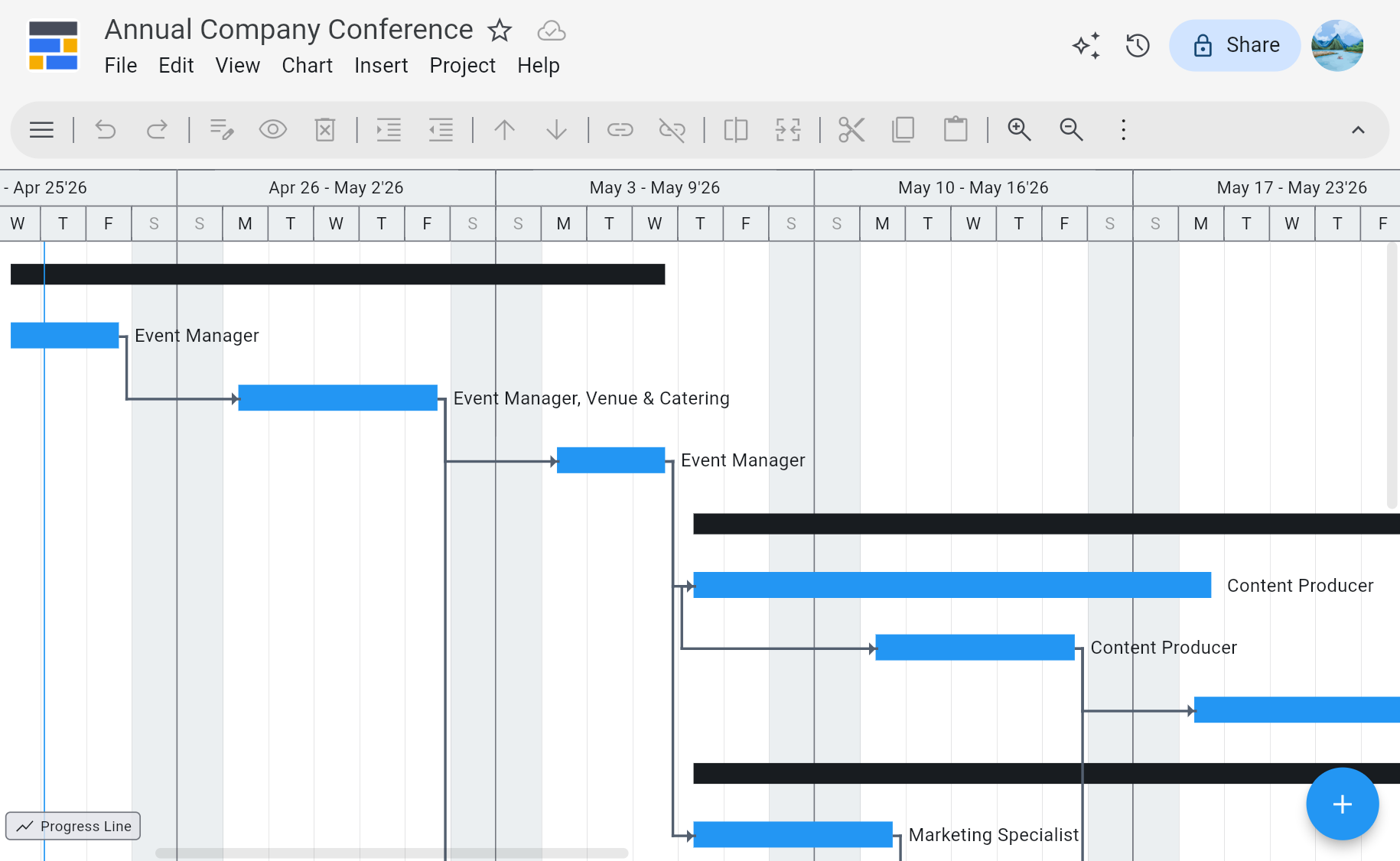
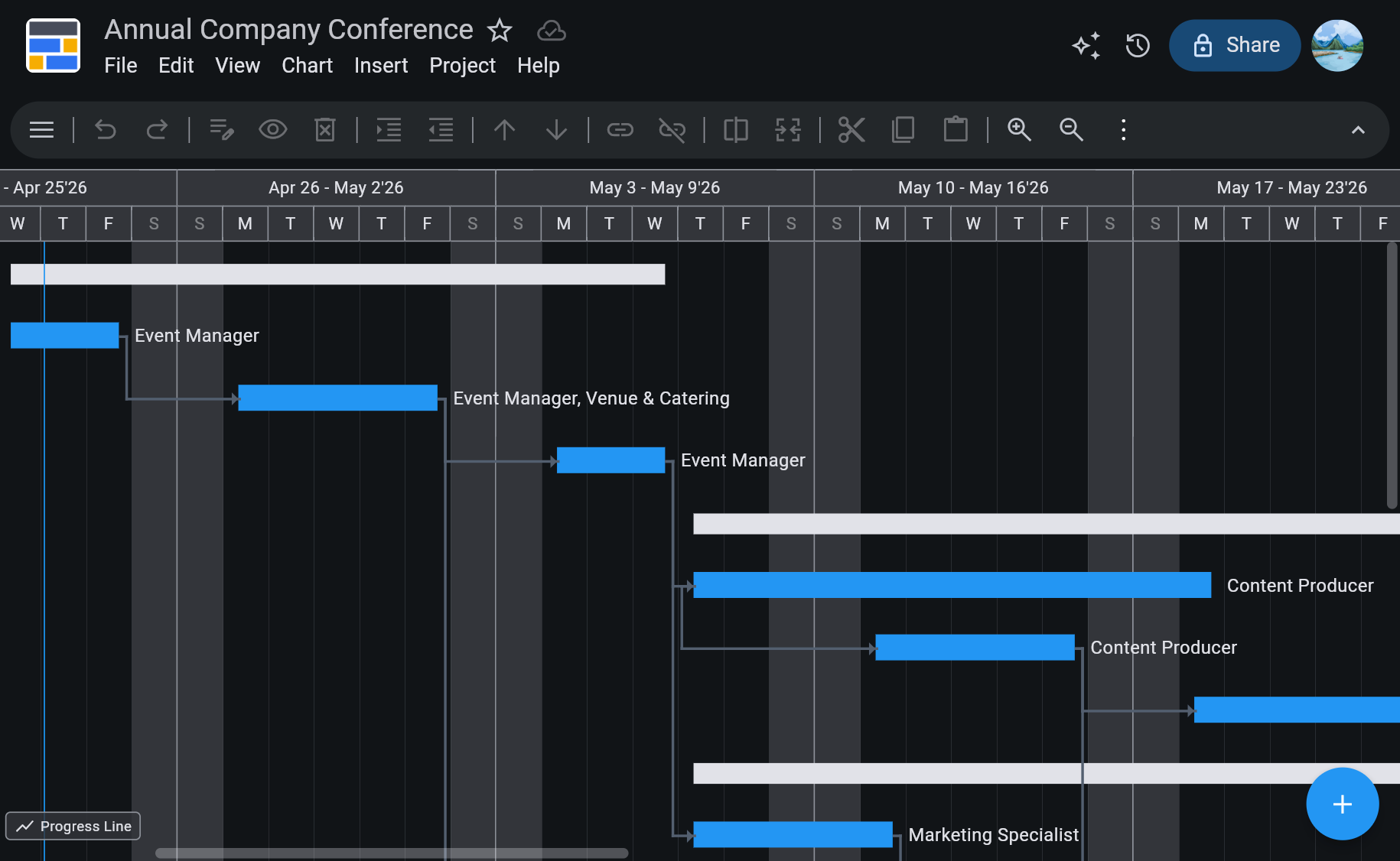
What Has to Survive the Switch
Your .MPP Files Open Directly
.MPP, MPT, MPX, and MS Project XML are read in the browser — no Microsoft Project licence, no Windows VM, no conversion service. Tasks, sub-tasks, dependency lag, constraints, task calendars, resource assignments, and baselines come through with the plan.
The Same Scheduling Engine Behaviour
Real Critical Path Method — 4 dependency types (FS, SS, FF, SF), 8 constraint types, elapsed durations, split and recurring tasks, 9 work contour types, inactive tasks, custom fields and outline codes, and multiple critical paths.
Resource Leveling, Not Just Assignment
Work, material, cost, budget, and generic resources. Automatic leveling by priority, slack, or ID, leveling within available slack, rate tables A–E with date-effective rates, time-varying availability, overtime rates, and cost per use.
Baselines and Earned Value
11 baselines (0–10), 10 interim plans, 55 baseline columns plus 5 variance columns, progress lines, Update Project, and 13 Earned Value columns — BCWS, BCWP, CPI, SPI, EAC, VAC, TCPI — on % Complete or Physical % Complete.
No Install, and No Windows Requirement
Runs in Chrome, Safari, Firefox, or Edge on Mac, Windows, Linux, or a Chromebook. This is usually the actual reason people go looking — the schedule is fine, the desktop client is the problem.
AI Plan Generation Included
Describe a project in plain words and get tasks, dependencies, durations, and a work breakdown structure to start from. Included in the subscription — no separate AI plan, no token limits, no per-plan fee.
See Ingantt for Web in Action
Your Microsoft Project files open, and they leave again
Ingantt reads the Microsoft Project formats directly and writes back to MS Project XML, which Microsoft Project opens natively — so a plan that comes here is not stuck here.
Opens
- Microsoft Project MPP, MPT, MPX, XML
- Oracle Primavera P6 XER, PMXML
- GanttProject
- ProjectLibre
- FastTrack Schedule
- GNOME Planner
- Asta Powerproject
- ConceptDraw
- Phoenix, Synchro, TurboProject, and more
Exports to
- MS Project XML not .MPP
- PNG
- CSV
- YAML
- Markdown
What carries across from Microsoft Project, and what does not
The schedule travels almost completely. Two things do not, and knowing which two before you switch is the difference between a good migration and a support ticket.
Open a .MPP or MS Project XML file in Ingantt and the plan is genuinely the plan. The outline structure, the dependency types and their lag, the constraints and deadlines, the project and task calendars, the resource assignments and rates, the baselines, the actuals, the costs, and the critical path all come through. A schedule that took months to build behaves the same way afterwards — move a date and the dependent work and the critical path recalculate.
The first thing that does not carry is the .MPP write path. Ingantt exports MS Project XML, which Microsoft Project opens directly, but it does not write the .MPP binary. In practice that means round-tripping with a colleague who still runs Project works — they open your .xml the way they open any project file — but you hand them XML, not .MPP.
The second is the enterprise layer. If your Project schedules sit inside Project Server, Project Online, or Planner Premium, then timesheets, the enterprise resource pool, enterprise custom fields and lookup tables, portfolio rollups, and stage-gate workflow live outside the project file. Ingantt replaces the scheduling half and says so; it does not replace a PMO platform. If that layer is what you actually need, a PPM product is the honest answer.
Comes across with the file
- Tasks, sub-tasks, and the outline structure
- Dependencies and lag FS, SS, FF, SF
- Durations, work, start and finish dates
- Constraints and deadlines
- Project and task calendars
- Resource assignments and rates
- Baselines and the critical path
- Percent complete, actuals, and costs
- Milestones
Does not come across
- The .MPP write path export is MS Project XML
- VBA macros and COM add-ins
- Enterprise resource pool
- Enterprise custom fields and lookup tables
- Timesheets and actual-work history
- Portfolio and cross-project rollups
- Stage-gate and workflow history
Ingantt and Microsoft Project, feature by feature
The scheduling depth is the part that has to match, and it does. What differs is where the software runs, what it costs, and which plan tier you need to get the features you already use.
| Feature | Ingantt | MS Project |
|---|---|---|
| Real CPM scheduling | ✓ | ✓ |
| Runs in the browser | ✓ | ✕ |
| Opens .mpp files | ✓ | ✓ |
| AI plan generation | ✓ | ✕ |
| Resource leveling | ✓ | ✓ |
| Earned Value Management | ✓ | ✓ |
| Google Drive native | ✓ | ✕ |
| 10 project views | ✓ | ✓ |
| No install required | ✓ | ✕ |
| Writes .MPP back out | ✕ | ✓ |
| Enterprise portfolio, timesheets, governance | ✕ | ~ |
| Price | $7.99 / user / mo, or $5.99 billed annually | $10+ / user / mo * |
Competitor pricing is the vendor's published list price for the United States as of 26 September 2026; check the vendor's site for current pricing.
* Full MS Project desktop client requires Plan 3 at $30 / user / mo. Ingantt for Web is $7.99 / user / month billed monthly, or $71.88 / user / year billed annually, which works out at $5.99 / user / month. The portfolio row is marked honestly: Ingantt is a scheduling tool, and the enterprise PPM layer around a Microsoft schedule — Project Server Subscription Edition or Planner Premium portfolios, timesheets, enterprise custom fields, stage gates, OData reporting — is not something it replaces.
Also compare Primavera P6 · Smartsheet · monday.com · Project Online
Switching from Microsoft Project — Questions People Actually Ask
It depends on which part of Microsoft Project you were using. If it was the scheduling — critical path, dependencies, calendars, resource leveling, baselines, cost and Earned Value tracking — then a browser-based scheduling tool that opens your existing .MPP files gets you working the same day, and Ingantt is that kind of tool. If what you relied on was the Microsoft enterprise layer around the schedule — Project Server or Project Online, timesheets, enterprise resource pools, portfolio rollups, stage gates — then you need a PPM product rather than a scheduling tool, and no browser Gantt app is going to replace it honestly.
Yes. Ingantt reads Microsoft Project's native .MPP binary directly in the browser, along with MPT, MPX, and MS Project XML. Sign in with a Google account, open the file, and the project renders as a full interactive Gantt chart with sub-tasks, dependency arrows, resource assignments, milestones, baselines, and the critical path. No Microsoft Project licence, no Windows virtual machine, and no conversion service that emails you a PDF.
All three, with the depth a switcher checks for. Critical Path Method with 4 dependency types, 8 constraint types, elapsed durations, split and recurring tasks, 9 work contour types, inactive tasks, and multiple critical paths. Resource leveling by priority, slack, or ID, leveling within available slack, rate tables A–E with date-effective rates, and time-varying availability. Tracking with 11 baselines, 10 interim plans, 55 baseline columns plus 5 variance columns, and 13 Earned Value columns including BCWS, BCWP, CPI, SPI, EAC, VAC, and TCPI.
Not as .MPP — Ingantt exports MS Project XML. The .MPP binary is proprietary, undocumented, and effectively a Microsoft-only write target; MS Project XML is Microsoft's own interchange format and Microsoft Project opens it directly. So the round trip works — open a .MPP here, edit and reschedule it, export as MS Project XML, and hand the .xml to someone still running Project. For stakeholders who do not use Project at all, PDF or PNG is the better export.
Yes, and this is the most common reason people end up here. Microsoft Project's full desktop client is Windows-only, so a Mac, a Linux machine, or a Chromebook has historically meant a virtual machine, a Windows box borrowed from someone else, or doing without. Ingantt runs in Chrome, Safari, Firefox, or Edge, so the operating system stops being part of the question. There are also native Ingantt apps for macOS, Windows, iOS, and Android, sold separately in their stores.
Ingantt for Web is $7.99 per user per month billed monthly, or $71.88 per user per year billed annually, which works out at $5.99 per user per month. Microsoft's published Project pricing starts at $10 per user per month, and the full desktop client — the one with the scheduling depth most switchers are comparing against — requires Plan 3 at $30 per user per month. A 7-day free trial with full feature access and no credit card is the honest way to check the comparison against your own files rather than taking a table's word for it.
Largely no, and that is deliberate. The vocabulary is the domain's own — predecessors, lag, slack, constraints, baselines, leveling, timephased work, earned value — and the views a Project user reaches for are here: Gantt Chart, Tracking Gantt, Network Diagram, Calendar, Timeline, Task Board, Team Planner, Resource Usage, Task Usage, and Resource Graph. Existing Microsoft Project skill transfers rather than being discarded. What is new is where the file lives: plans are stored in your own Google Drive with Drive's permissions and version history, rather than on a local disk or a project server.
The files stay in your Google Drive, because that is where they were the whole time — Ingantt stores no project data on its own servers. Plans are saved in MS Project-compatible XML, so they open in other tools, including Microsoft Project itself. That is the point of exporting to Microsoft's own interchange format rather than a proprietary one.
For scheduling, yes — and it is worth being precise about the edges. The two things Microsoft Project does that Ingantt does not are writing the .MPP binary and hosting the enterprise PPM layer: Project Server or Project Online portfolios, timesheets, enterprise resource pools and custom fields, stage-gate workflow, and OData reporting. If your work depends on either of those, say so early rather than discovering it in week three. If what you need is the plans, the scheduling engine, and the tracking fields, in a browser, reading the files you already have, that is exactly what this is.
Open your Microsoft Project plans in Ingantt
Go to DocumentationHave more questions?
Contact a real person for support!
Email us Microsoft and Microsoft Project are trademarks of Microsoft Corporation. Oracle and Primavera are trademarks of Oracle Corporation. Smartsheet is a trademark of Smartsheet Inc. monday.com is a trademark of monday.com Ltd. Ingantt is not affiliated with, endorsed by, or sponsored by any of them.