A monday.com Alternative for When the Board Has to Become a Schedule
Boards are good at what everyone is doing this week. They are not good at what the finish date depends on, which of two hundred tasks a supplier slip actually breaks, or whether the plan was ever achievable. Ingantt is a scheduling tool: a real Critical Path Method engine, resource leveling, 11 baselines, and Earned Value, in the browser — and it opens .MPP and XER files directly.


BOARD-EXPORT.CSV
What a Board Cannot Tell You
A Finish Date That Is Calculated
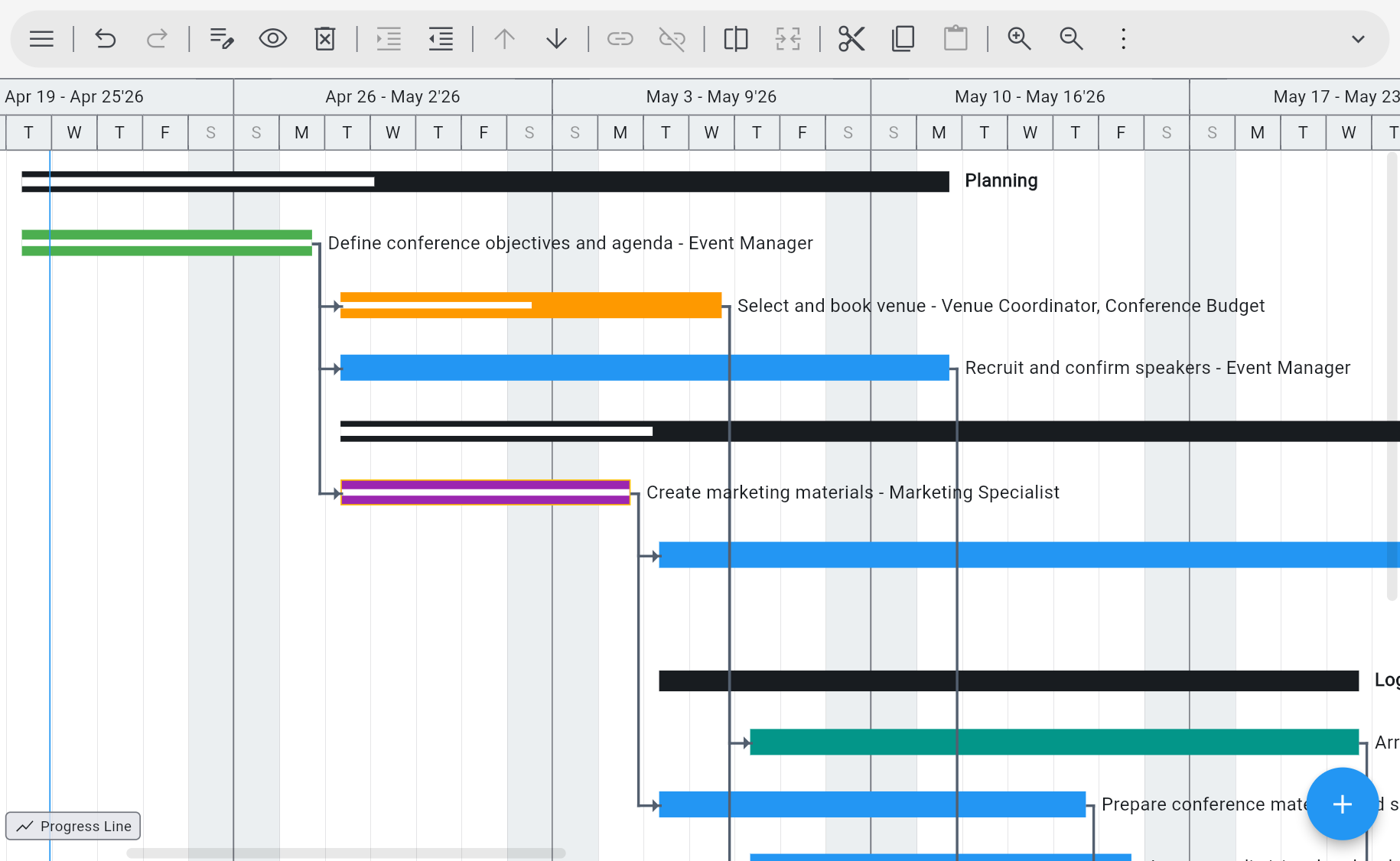
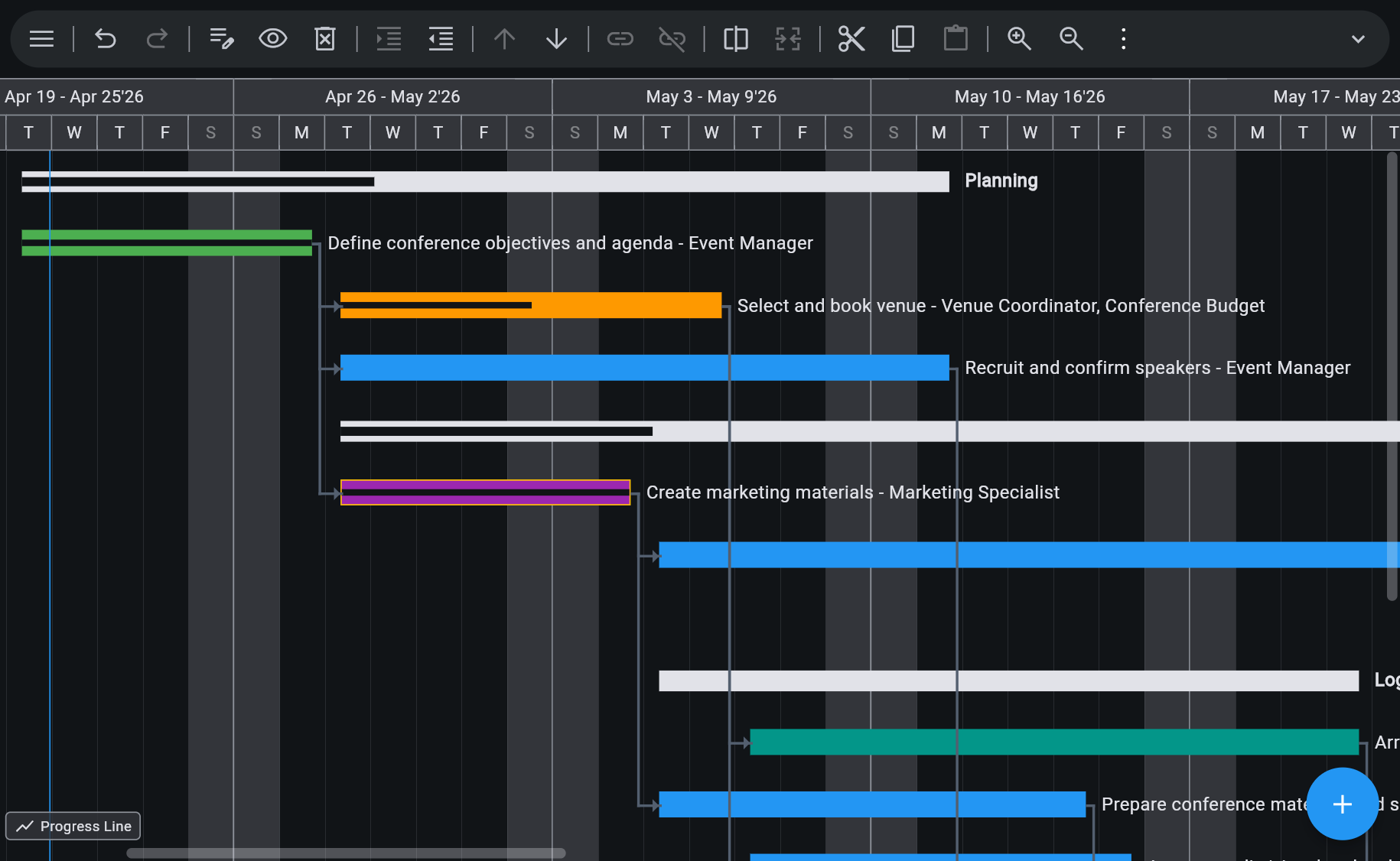
Critical Path Method with 4 dependency types (FS, SS, FF, SF), 8 constraint types, elapsed durations, split and recurring tasks, custom calendars and work weeks, inactive tasks, and multiple critical paths. The end date comes out of the network rather than out of a status column.
Change One Task, See Everything It Breaks
Move a date and the dependent work reschedules and the critical path recalculates. When a supplier slips two weeks, the question is which downstream tasks actually matter — and that is a graph problem, not a filter.
Overallocation You Can See Before the Deadline Does
Work, material, cost, budget, and generic resources; automatic leveling by priority, slack, or ID; leveling within available slack; rate tables A–E with date-effective rates; time-varying availability. Team Planner and Resource Usage surface a 120% week when it appears.
Baselines and Earned Value
11 baselines (0–10), 10 interim plans, 55 baseline columns plus 5 variance columns, progress lines, Update Project, and 13 Earned Value columns — BCWS, BCWP, CPI, SPI, EAC, VAC, TCPI.
Opens MS Project and Primavera Files
.MPP, MPT, MPX, and MS Project XML, plus Primavera P6 XER and PMXML, plus CSV — read directly in the browser. This is what a client or contractor on Microsoft Project will actually send you.
AI Plan Generation Included
Describe the project in plain words and get tasks, dependencies, durations, and a work breakdown structure to edit. Included in the subscription — no separate AI plan, no token limits, no per-plan fee.
See Ingantt for Web in Action
Getting a board into a schedule
Export the board as CSV or Excel and import the CSV. If the plan originally came from Microsoft Project or Primavera, open that file instead — it carries the whole scheduling model.
Opens
- CSV exported boards and task lists
- Microsoft Project MPP, MPT, MPX, XML
- Oracle Primavera P6 XER, PMXML
- GanttProject
- ProjectLibre
- FastTrack Schedule
- Asta Powerproject
- ConceptDraw
- Phoenix, Synchro, TurboProject, and more
Exports to
- MS Project XML
- CSV
- PNG
- YAML
- Markdown
Where monday.com wins, and where this does
These tools are not competing for the same job. Choosing the wrong one is not a pricing mistake, it is a category mistake, and it shows up about three weeks in.
monday.com wins on general work management. Running many teams' work in one place — intake, ownership, status, the operational routines a company builds around a board — is what it is built for, and Ingantt has none of that. There are no boards here for the marketing team's requests, the support queue, and the hiring pipeline. If what you are replacing is how your whole company tracks work, this is not the tool, and that is worth knowing on the first page rather than the fourth.
Ingantt wins when the plan has a shape. When work has to happen in an order, when one task cannot start until another finishes, when the completion date is a consequence of durations and dependencies rather than an aspiration in a column, and when someone senior is going to ask what the date depends on and expect a defensible answer. That is Critical Path Method, and it is either in the engine or it is not.
Many teams end up running both, and that is a perfectly sensible outcome rather than a failure to choose. The board stays where day-to-day work lives. The schedule — the construction programme, the release plan, the migration, the client delivery with a contractual date on it — lives somewhere that can calculate. What tips the decision is usually an external file: the moment a client or contractor sends a .MPP or an XER, a board cannot open it and a scheduling tool can.
Stay with monday.com
- Many teams' work in one place
- Intake, ownership, and status tracking
- Day-to-day operational routines
- Work that has no dependency structure
Reach for Ingantt
- Calculated finish dates and critical path
- Dependency-driven rescheduling
- Resource leveling and overallocation detection
- Baselines and Earned Value tracking
- Opening .MPP, XER, or MS Project XML files
- Planners who already know MS Project or P6
Ingantt and monday.com, feature by feature
Both run in a browser. One is a work-management platform where a timeline is one view of a board; the other is a scheduling engine where the timeline is the product.
| Feature | Ingantt | monday.com |
|---|---|---|
| Real CPM scheduling | ✓ | ✕ |
| Runs in the browser | ✓ | ✓ |
| Opens .mpp files | ✓ | ✕ |
| AI plan generation | ✓ | ✕ |
| Resource leveling | ✓ | ✕ |
| Earned Value Management | ✓ | ✕ |
| Google Drive native | ✓ | ✕ |
| 10 project views | ✓ | ~8 |
| No install required | ✓ | ✓ |
| General work management across teams | ✕ | ✓ |
| Price | $7.99 / user / mo, or $5.99 billed annually | $9+ / user / mo |
Competitor pricing is the vendor's published list price for the United States as of 26 September 2026; check the vendor's site for current pricing.
Ingantt for Web is $7.99 / user / month billed monthly, or $71.88 / user / year billed annually, which works out at $5.99 / user / month. The last row is marked against us on purpose. monday.com is a general work-management platform covering work well beyond project schedules, and Ingantt is not that and does not try to be — it plans and tracks projects.
Also compare Microsoft Project · Primavera P6 · Smartsheet · Project Online
monday.com and Ingantt — Questions People Actually Ask
Export the board as CSV or Excel and import the CSV. The rows come across — task names, dates, durations, owners — and you add the dependency network on top, which tends to be quick because you already know what waits on what. The caveat to know first is that a CSV carries rows, not a scheduling model, so dependencies, constraints, calendars, and baselines that were never in the file cannot be recovered from it. If the plan originally came out of Microsoft Project or Primavera P6, open that .MPP, XML, or XER file instead — it carries the whole model.
For project scheduling, yes. As a replacement for how a company tracks all of its work, no — and pretending otherwise would waste your time. monday.com is a general work-management platform; Ingantt is a scheduling tool with a Critical Path Method engine, resource leveling, baselines, and Earned Value. If the reason you are looking is that your timeline view cannot tell you what the finish date depends on, this is the swap. If it is that you want a cheaper board for the whole company, it is not.
Our comparison grades monday.com as not having real CPM scheduling, and we hold that grade openly rather than softening it. The distinction is between drawing a timeline and calculating one: a real Critical Path Method engine derives the finish date from the dependency network and durations, identifies which chain of tasks is driving it, and recalculates both when anything changes. That is the capability being compared, and it is the one that matters when a date slips.
Calculate. 4 dependency types with lag, 8 constraint types, custom calendars and work weeks, multiple critical paths, and rescheduling that cascades a change through the whole plan. Resource leveling by priority, slack, or ID with rate tables A–E and time-varying availability. Tracking with 11 baselines, 10 interim plans, and 55 baseline plus 5 variance columns. Earned Value with 13 columns including BCWS, BCWP, CPI, SPI, EAC, VAC, and TCPI. And 10 views on the same plan — including a Task Board, so the board view does not disappear.
Yes. Task Board is one of the 10 views — Kanban-style columns with drag-and-drop status tracking, on the same plan as the Gantt chart, staying in sync with it. So the people who want to see this week's work as cards can, while the schedule underneath remains a real network with a calculated critical path. What Ingantt does not have is boards for work that is not a project.
Ingantt for Web is $7.99 per user per month billed monthly, or $71.88 per user per year billed annually, which works out at $5.99 per user per month. monday.com's published pricing starts at $9 per user per month. The numbers are close enough that they should not decide it — the category should. A 7-day free trial with full feature access and no credit card is there so you can test that against a real plan of your own.
Plans live in your own Google Drive, with Drive's permissions and version history, and Ingantt stores no project data on its own servers. Files are saved in MS Project-compatible XML, so they open in Microsoft Project and other scheduling tools if you ever move on. Export to PDF or PNG for stakeholders who only need to read the plan.
Try Ingantt against a real project plan
Go to DocumentationHave more questions?
Contact a real person for support!
Email us Microsoft and Microsoft Project are trademarks of Microsoft Corporation. Oracle and Primavera are trademarks of Oracle Corporation. Smartsheet is a trademark of Smartsheet Inc. monday.com is a trademark of monday.com Ltd. Ingantt is not affiliated with, endorsed by, or sponsored by any of them.